
Send Fiat Payouts
This guide provides step-by-step instructions for initiating manual fiat payouts (SEPA transfers) using the Paybis Partner Portal.
Prerequisites
Before you can send crypto payouts, you must have the Send Fiat role assigned to your Partner Portal account. Contact your Paybis account manager to request this permission if you don't have it.
How to Send a Fiat Payout
1. Enter Payment Details
Navigate to Send fiat tab: Log in to Paybis Partner Portal and go to the "Send fiat" tab. This tab provides the interface for initiating manual payouts.
Select Recipient Type
Choose the appropriate recipient type:
- Business - For payments to companies or business entities. You'll need to provide the company name.
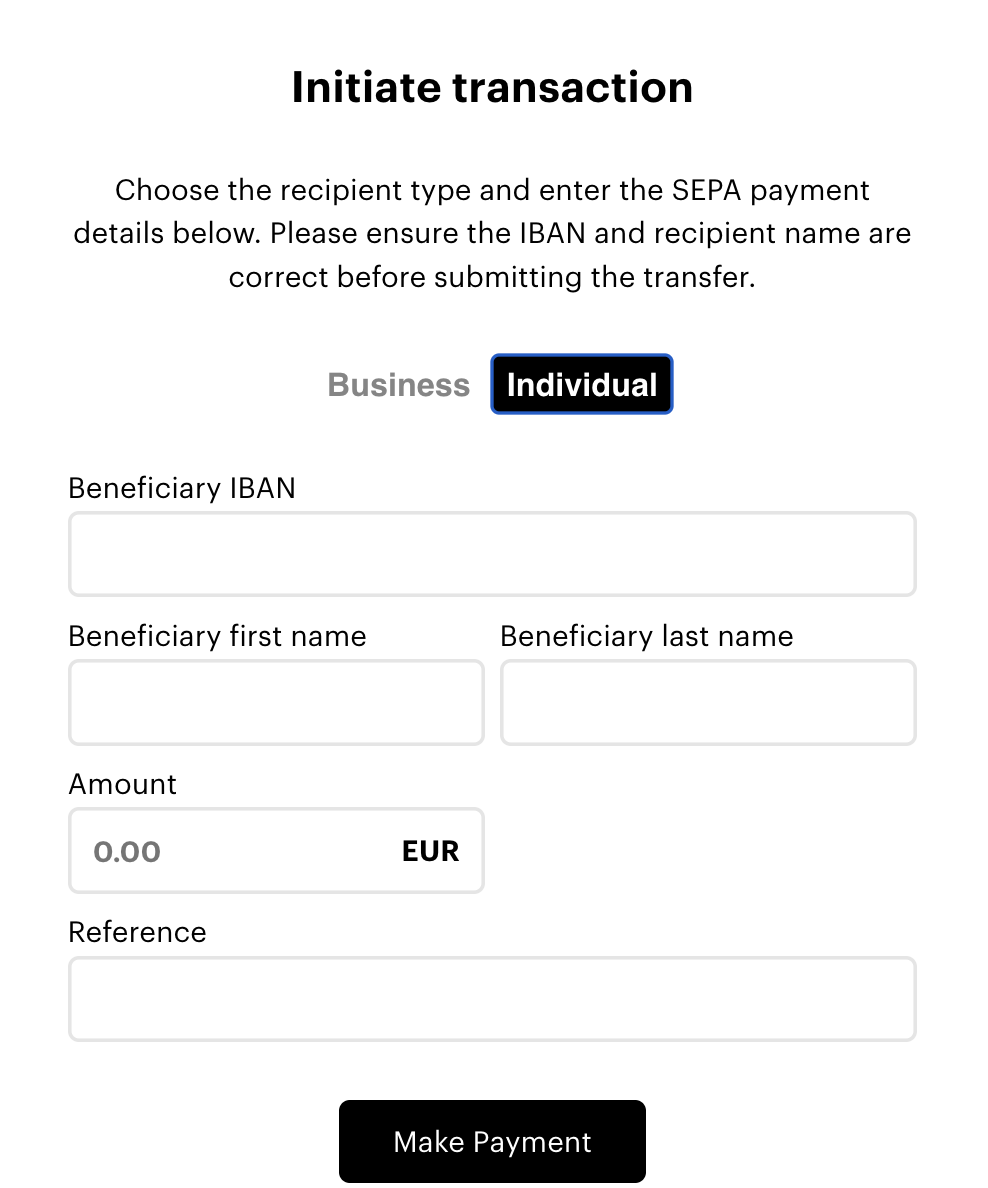
- Individual - For payments to private persons. You'll need to provide the recipient's first and last name.
Enter Payout Details Complete the required fields based on the recipient type:
For Business Recipients
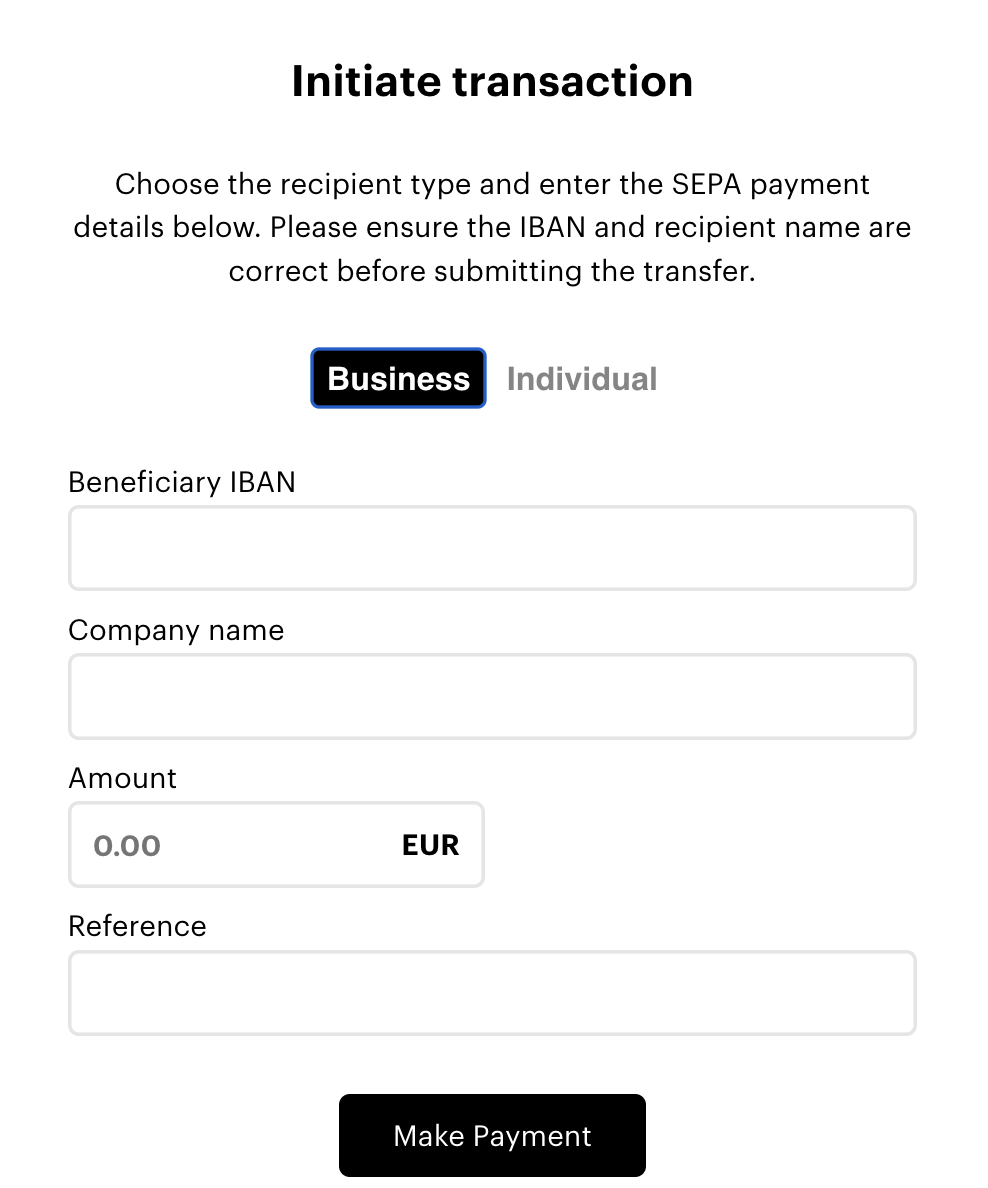
- Beneficiary IBAN - Enter the recipient company's IBAN. Ensure the IBAN is valid and correctly formatted for SEPA transfers.
- Company Name - Enter the legal name of the recipient company exactly as registered with their bank.
- Amount - Enter the amount in EUR (or other supported fiat currency) you want to send.
- Reference - Enter a payment reference for your records (e.g., "Invoice 123 as of date", "Payment for services", etc.).
For Individual Recipients
- Beneficiary IBAN - Enter the recipient's IBAN. Ensure the IBAN is valid and correctly formatted for SEPA transfers.
- Beneficiary First Name - Enter the recipient's first name exactly as it appears on their bank account.
- Beneficiary Last Name - Enter the recipient's last name exactly as it appears on their bank account.
- Amount - Enter the amount in EUR (or other supported fiat currency) you want to send.
- Reference - Enter a payment reference for your records.
2. Review and Confirm
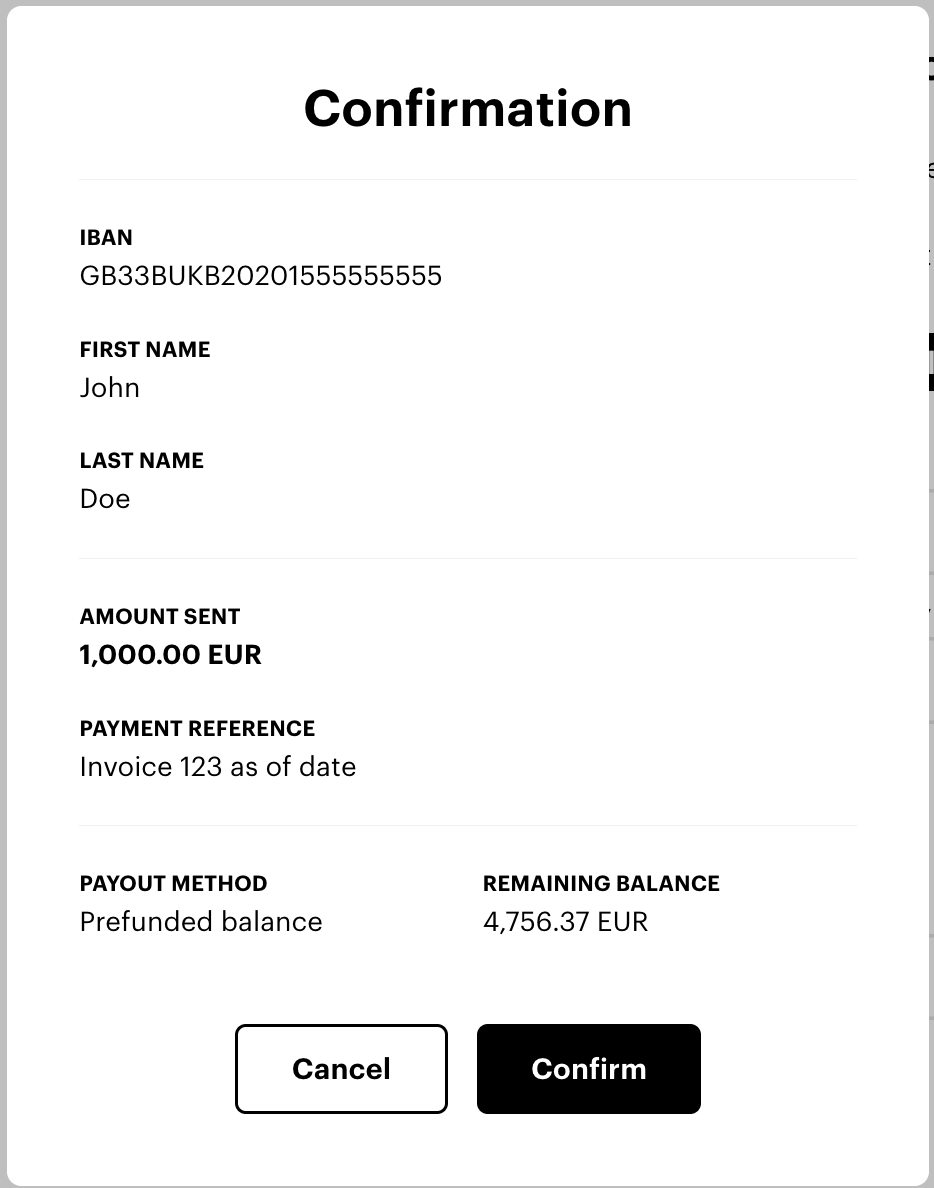
After entering all details, click Make Payment to proceed.
A confirmation modal will appear displaying:
- IBAN: The recipient's bank account number
- Recipient Name: Company name or individual's full name
- Amount Sent: The total amount to be transferred
- Payment Reference: Your reference text
- Payout Method: Prefunded balance
- Remaining Balance: Your balance after this transaction
Review all details carefully before proceeding.
3. Confirm Payment
- Verify all transaction details are correct
- Ensure your prefunded balance has sufficient funds
- Click Confirm to submit the payment
Security Recommendation: Enable two-factor authentication (2FA) for withdrawal transactions via your Account manager. Each payout will require confirmation via one-time password (OTP).
Important Notes
✅ Verify IBAN: Always double-check the recipient's IBAN before confirming. Incorrect IBANs may result in failed transfers or funds sent to the wrong account.
✅ Check sufficient balance: Ensure your prefunded balance can cover the payout amount before initiating the transaction.
✅ Match recipient names: For individual recipients, ensure first and last names match exactly as registered with the recipient's bank to avoid processing delays.
✅ SEPA requirements: Ensure the recipient's bank account is SEPA-compatible. SEPA transfers are available for EUR transactions within the Single Euro Payments Area.
By following these steps, you can efficiently and securely send manual fiat payouts using Paybis Send.
Updated 8 months ago